Prove every job with before, during, after photos
Snap the state of the property when you arrive, the work as you go, and the finished result — all on your phone and all attached to the job. When a customer questions the work or holds back payment, the evidence is already there.
Replaces a paper diary, a whiteboard and a WhatsApp group. Every job has one owner, one time and one place to look. The office stops relaying messages and the engineer stops ringing in for the next address.
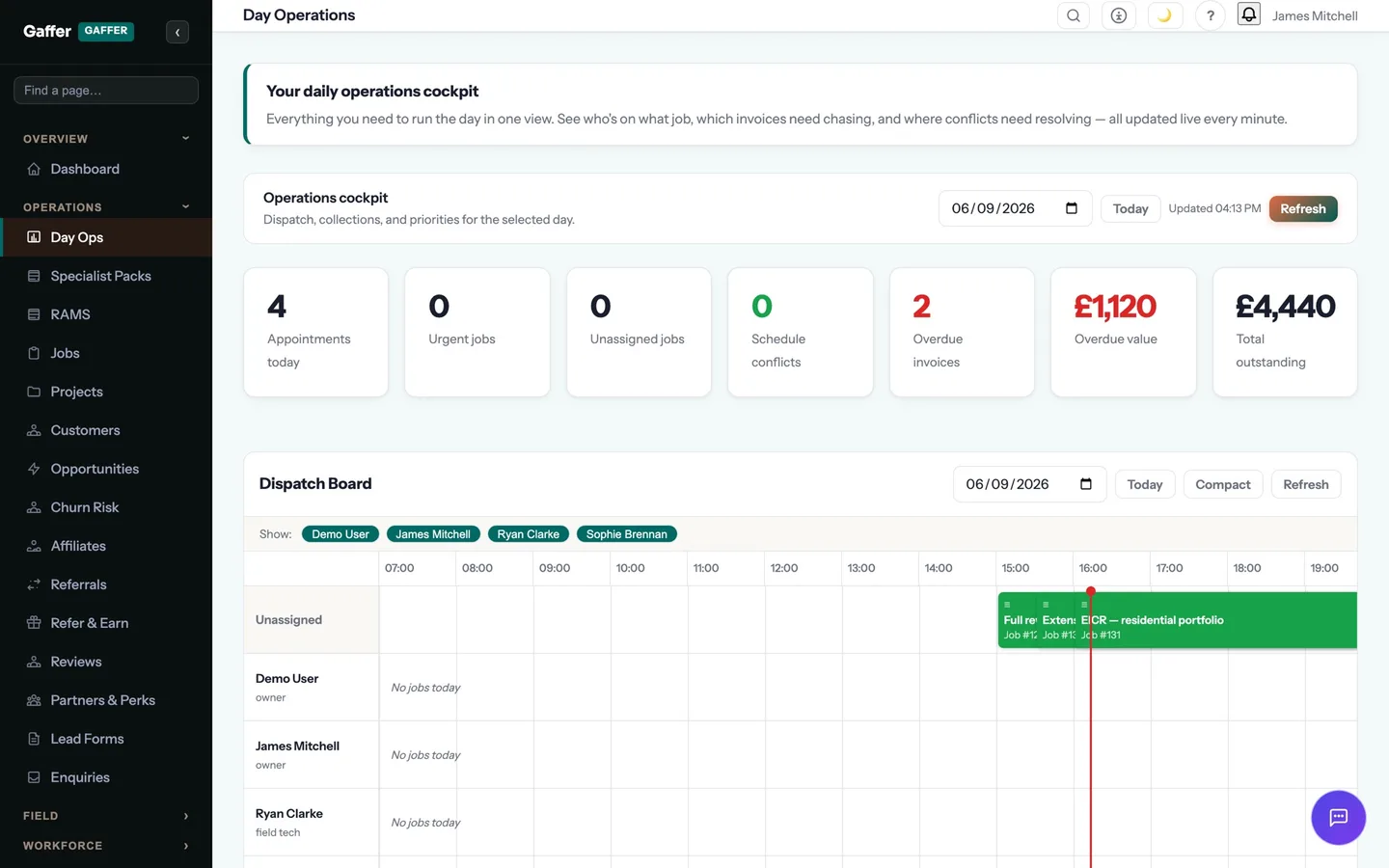
Every job, every engineer, every day — on one board.
Create a job in seconds, drag it onto the right engineer, and watch it move from booked to on-site to done. The office sees everything; the van sees only what matters.
Owners stop being the human dispatch board. Engineers stop ringing in for the next address.
- Photos attached automatically to the job and customer history
- Full-resolution capture straight from the Android app (iOS coming soon)
- Offline capture with automatic background sync
- Photos shown on completion summaries, quotes and invoices
- Visual evidence to settle "that's not what I asked for" disputes
- A growing photo record per property for repeat and warranty work
Step 04 of the job: on site
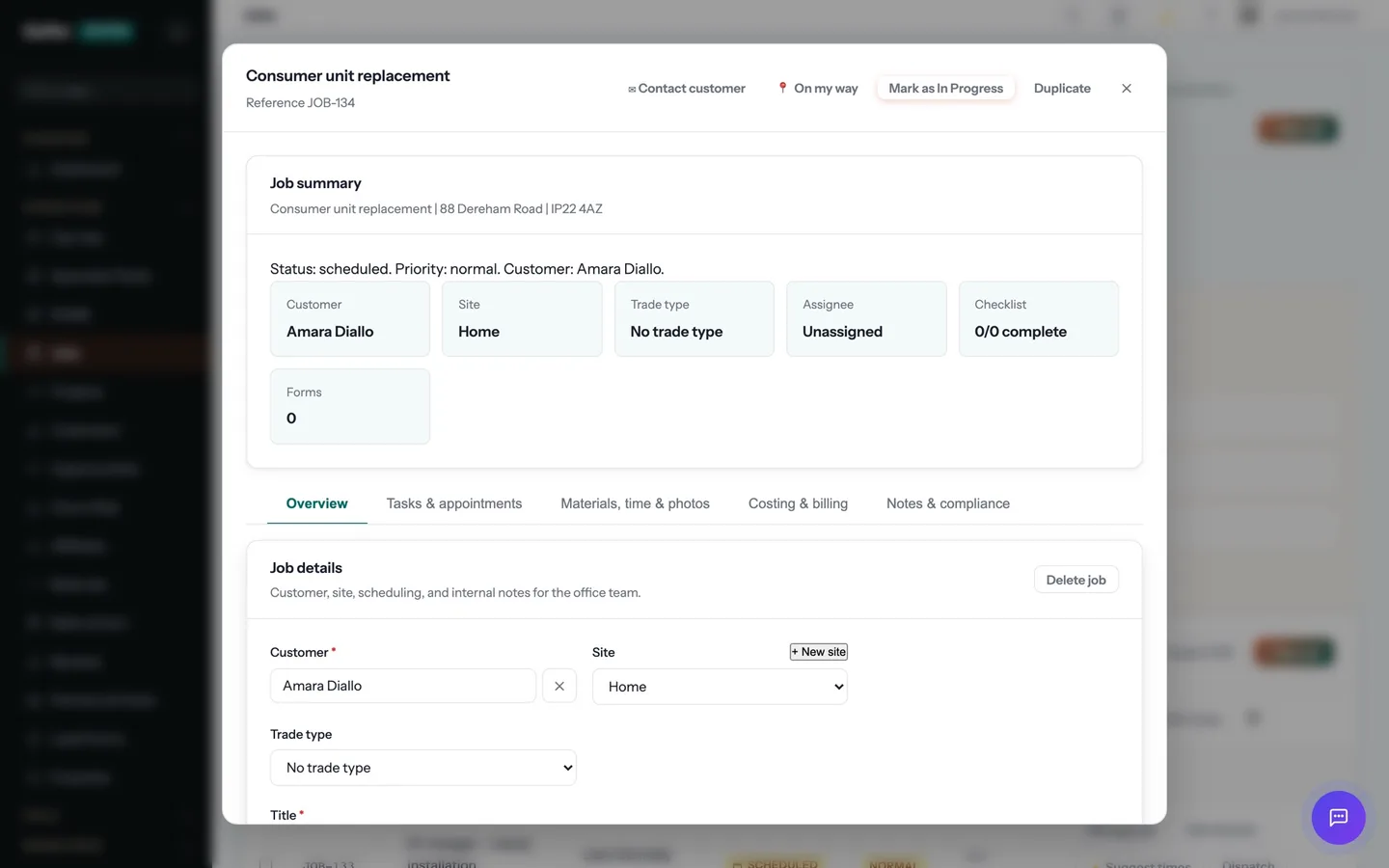
The engineer taps "On my way" and the customer gets a text with an arrival window. On site: clock in, photos, the certificate for the job — EICR, Gas Safety, whatever the trade needs — signed on the device. No signal? It syncs later.
Job photos is one part of that step. The rest of the job — quoting, scheduling, certificates, invoicing and payment — runs in the same system, on the same record. See the whole job →
What does job photos replace?
For most trade businesses, a paper diary, a whiteboard and a WhatsApp group. Every job has one owner, one time and one place to look. The office stops relaying messages and the engineer stops ringing in for the next address.
Does job photos work on a phone, and offline?
Yes. The mobile app is offline-first: records created on site are stored on the device and synced automatically, in order, when signal returns. Lofts, plant rooms and rural sites were the design brief.
Which plan is it on?
Every paid plan. Job photos is included for unlimited users at no extra cost — the monthly, annual and lifetime plans differ only in how you pay.
How long does it take to start using?
Minutes. Start a 14-day free trial with no card, pick your trades at sign-up, and job photos is switched on with your trade's templates already in place.
The rest of Jobs & Scheduling
All 19 →- Assign jobs in seconds with a drag-and-drop board
- Cut no-shows with automatic on-my-way texts
- Fill your diary automatically with AI scheduling
- Know your true profit on every job with job costing
- Make sure every job is done right with checklists
- Projects
- See where your whole team is, on one map
- Set up repeat jobs in seconds with job templates
- Set up repeat visits once — never re-book again
- Snagging lists
Put job photos to work.
Full platform, 14 days free, no card needed. Set up in an afternoon, import your customers in a few clicks, and send your first quote today.
Founding members: first 100 businesses get 50% off every paid plan, for as long as they stay subscribed.