Tap to Pay
Contactless card payments on your phone.
Replaces a separate invoicing app and a folder of unpaid PDFs. Money arrives in days rather than weeks, and nobody has to make the awkward phone call.
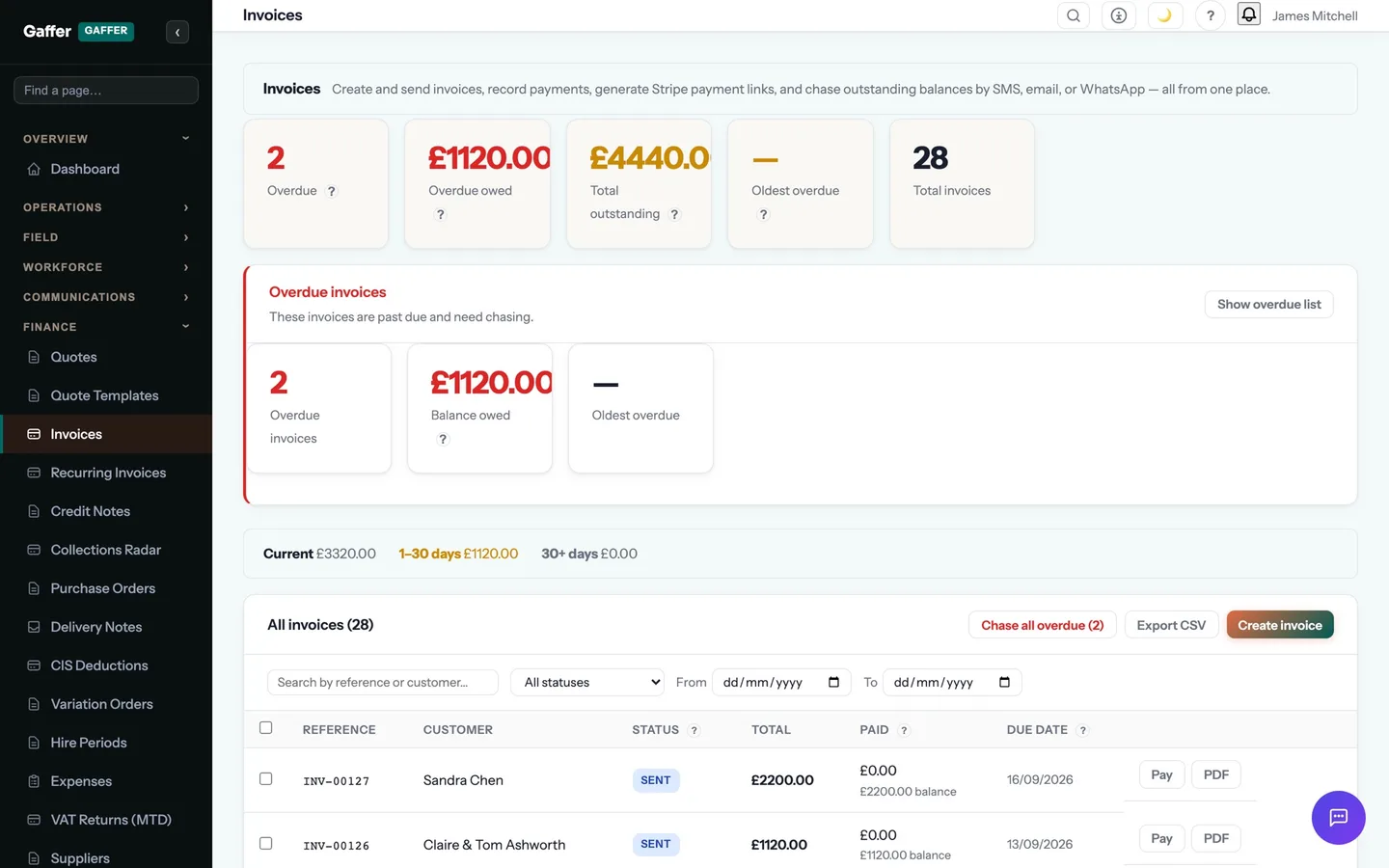
Invoice from the driveway. Get paid before you leave it.
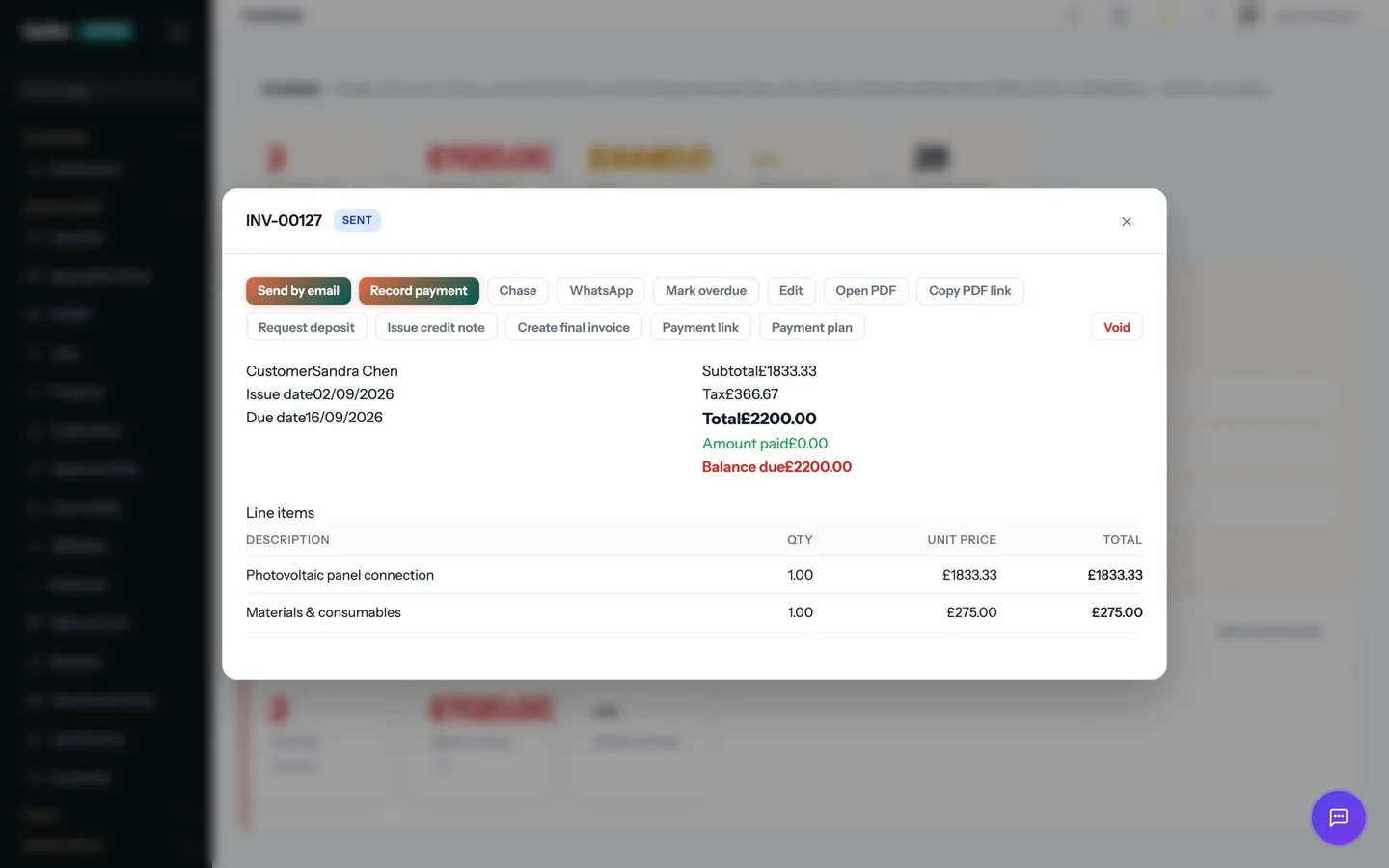
One tap turns the job into a branded invoice with a Pay Now link — card, Apple Pay, Google Pay or Direct Debit. Reminders chase politely on your behalf. Xero or QuickBooks are updated for you.
Debtor days drop from weeks to days, and nobody has to make the awkward phone call.
- Take a card payment on the phone itself, with no card reader to carry or charge
- Contactless card, Apple Pay and Google Pay accepted against a specific invoice
- The invoice is marked paid the moment the payment captures
- Runs on Stripe Terminal, so the money lands in the same account as your online payments
Step 05 of the job: invoice
Marking the job complete raises the invoice from the accepted quote, nets off the deposit, attaches the certificate and sends it with a Pay Now link — before the van has left the drive.
Tap to Pay is one part of that step. The rest of the job — quoting, scheduling, certificates, invoicing and payment — runs in the same system, on the same record. See the whole job →
What does Tap to Pay replace?
For most trade businesses, a separate invoicing app and a folder of unpaid PDFs. Money arrives in days rather than weeks, and nobody has to make the awkward phone call.
Does Tap to Pay work on a phone, and offline?
Yes. The mobile app is offline-first: records created on site are stored on the device and synced automatically, in order, when signal returns. Lofts, plant rooms and rural sites were the design brief.
Which plan is it on?
Every paid plan. Tap to Pay is included for unlimited users at no extra cost — the monthly, annual and lifetime plans differ only in how you pay.
How long does it take to start using?
Minutes. Start a 14-day free trial with no card, pick your trades at sign-up, and Tap to Pay is switched on with your trade's templates already in place.
Put Tap to Pay to work.
Full platform, 14 days free, no card needed. Set up in an afternoon, import your customers in a few clicks, and send your first quote today.
Founding members: first 100 businesses get 50% off every paid plan, for as long as they stay subscribed.