Moving systems is
the bit everyone dreads.
It is usually the reason a business stays on something it has stopped liking. So here is exactly what comes across, what does not, and the order to do it in — written by people who would rather you switched properly than switched fast.
13 systems, or a spreadsheet.
Every system below can be imported from its own CSV export. For 5 of them Gaffer can connect directly and pull the records without a file. That needs switching on for your account, so ask when you start — it takes us a few minutes.
| Coming from | customers | jobs | quotes | invoices | How |
|---|---|---|---|---|---|
| ServiceM8 | ✓yes | ✓yes | –no | ✓yes | Direct or CSV |
| Jobber | ✓yes | ✓yes | ✓yes | ✓yes | Direct or CSV |
| Commusoft | ✓yes | ✓yes | –no | ✓yes | Direct or CSV |
| Workiz | ✓yes | ✓yes | –no | ✓yes | Direct or CSV |
| Housecall Pro | ✓yes | ✓yes | ✓yes | ✓yes | Direct or CSV |
| Tradify | ✓yes | ✓yes | ✓yes | ✓yes | CSV export |
| simPRO | ✓yes | ✓yes | ✓yes | ✓yes | CSV export |
| ServiceTitan | ✓yes | ✓yes | ✓yes | ✓yes | CSV export |
| Joblogic | ✓yes | ✓yes | ✓yes | ✓yes | CSV export |
| BigChange | ✓yes | ✓yes | –no | ✓yes | CSV export |
| Powered Now | ✓yes | ✓yes | ✓yes | ✓yes | CSV export |
| Fergus | ✓yes | ✓yes | ✓yes | ✓yes | CSV export |
| YourTradebase | ✓yes | ✓yes | ✓yes | ✓yes | CSV export |
| A spreadsheet | ○if your spreadsheet has that column | ○if your spreadsheet has that column | ○if your spreadsheet has that column | ○if your spreadsheet has that column | CSV export |
A spreadsheet brings across whatever columns it has, which is why its row is marked differently. Not on the list? A column of names and addresses is enough to start. Send us your export and we will tell you what we can do with it.
A fortnight, done properly.
You can be usable in an afternoon. Being comfortable takes a week, and the last of the old system drains away in the second. Rushing that is how people end up running two systems for six months.
- 1Day one, an afternoon
Set the business up and bring the customers across
Business details, VAT number, bank details and logo. Pick your trades and their certificates, forms and templates switch on. Then import the customer list — a CSV from anything, or a direct connection for a few systems.
Nobody else has to be involved yet. Nothing you do here touches the system you are still running on.
- 2Day one, later
Send one quote and see it come back
Price a real job from a template, send it, and watch the customer accept it on their phone. This is the moment you find out whether the thing suits you, and it costs an hour.
Most people who abandon a trial never send anything. Send one.
- 3Day two or three
Put one engineer on it
One person, one day of jobs, on the app. They clock in, take photos, fill in the certificate and mark it complete. You watch it land in the office in real time.
One engineer, not the whole crew. If it works for them it will work for everyone, and if it does not you have inconvenienced one person.
- 4The first week
Run new work in Gaffer, finish old work where it is
Do not migrate live jobs mid-flight. New enquiries and new jobs start here; anything already in progress finishes in the old system. Within a fortnight the old one is empty.
This is the part people get wrong. Running both for two weeks is far less painful than moving half-finished work.
- 5Week two
Connect the accounts and turn the automations on
Xero, QuickBooks or Sage, then Stripe for card payments and your calendar. Last, switch on the reminders and follow-ups — after you have seen the wording, not before.
Automations last, deliberately. You want to know what your customers will receive before they receive it.
Your customers, with their history attached.
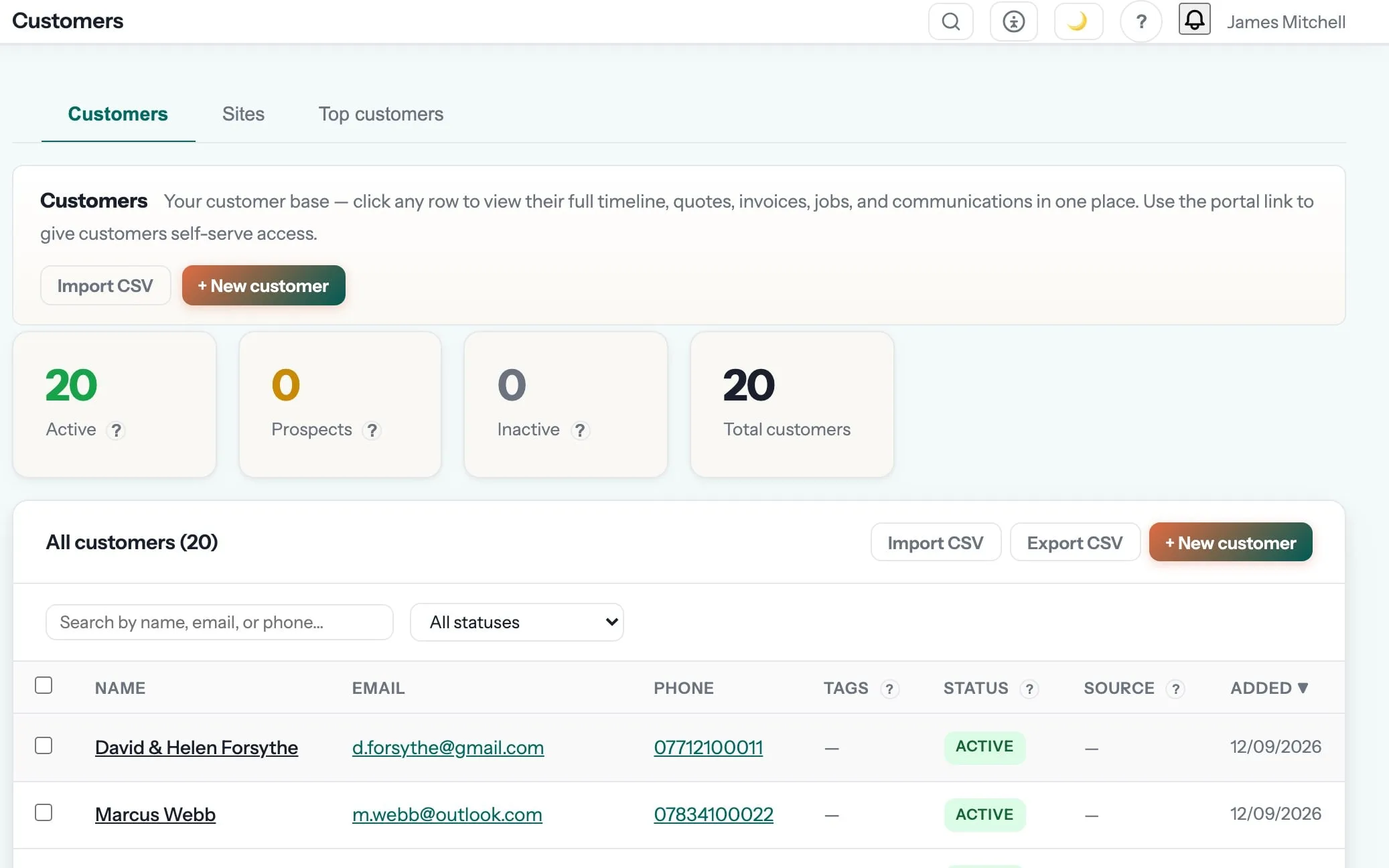
An imported customer is not a name in a list. It arrives with its sites, its past jobs and its documents, so the first time somebody rings you already know what you did for them last year.
- Customers matched rather than duplicated, so one property does not become three records
- Multiple sites per customer, which is how landlords and agents actually work
- Invoice numbering continues your sequence instead of restarting
- Everything lands in your account first, where you can look at it before you rely on it
Before they commit an afternoon.
Anything else? support@rungaffer.com reaches a person who has done this.
What actually comes across?
Customers with their contact details and addresses, jobs with their history, and quotes and invoices with their line items where the export includes them. Photos and attachments do not come across. Most exports either leave them out or do not tie them back to the right job, and we would rather not import them than import them wrongly. Old job photos stay where they are; new ones live here.
Will my invoice numbers carry on?
Yes. Set the next number to follow your existing sequence so your accountant sees one continuous run rather than a restart at 1.
What about jobs that are half done?
Finish them where they are. Importing work in progress means reconciling two versions of the truth for a fortnight; starting new work in Gaffer and letting the old system drain is quicker and safer.
How long does the whole thing take?
An afternoon to be usable, a week to be comfortable, a fortnight before nobody opens the old system. The import itself runs in minutes.
Can I get my data back out?
At any time, and after you leave. Everything exports to CSV or PDF from inside the app, and the export stays available for 90 days after a cancellation. Ask for a full deletion and it is honoured.
What if the import goes wrong?
It runs into your account where you can see exactly what arrived before anyone relies on it, and support is a person who will look at your actual file. Send it to us first if you would rather we did it.
Bring the customers over first.
It takes minutes, it does not touch the system you are running on now, and it is the only way to tell whether the rest of it suits you. 7 days, no card, all 58 trade packs switched on.
Founding members: first 100 businesses get 50% off every paid plan, for as long as they stay subscribed.