Pick up the phone knowing what happened last time
Every job, quote and message in one view.
Part of customers & crm in Gaffer, which replaces a phone contacts list and someone’s memory.
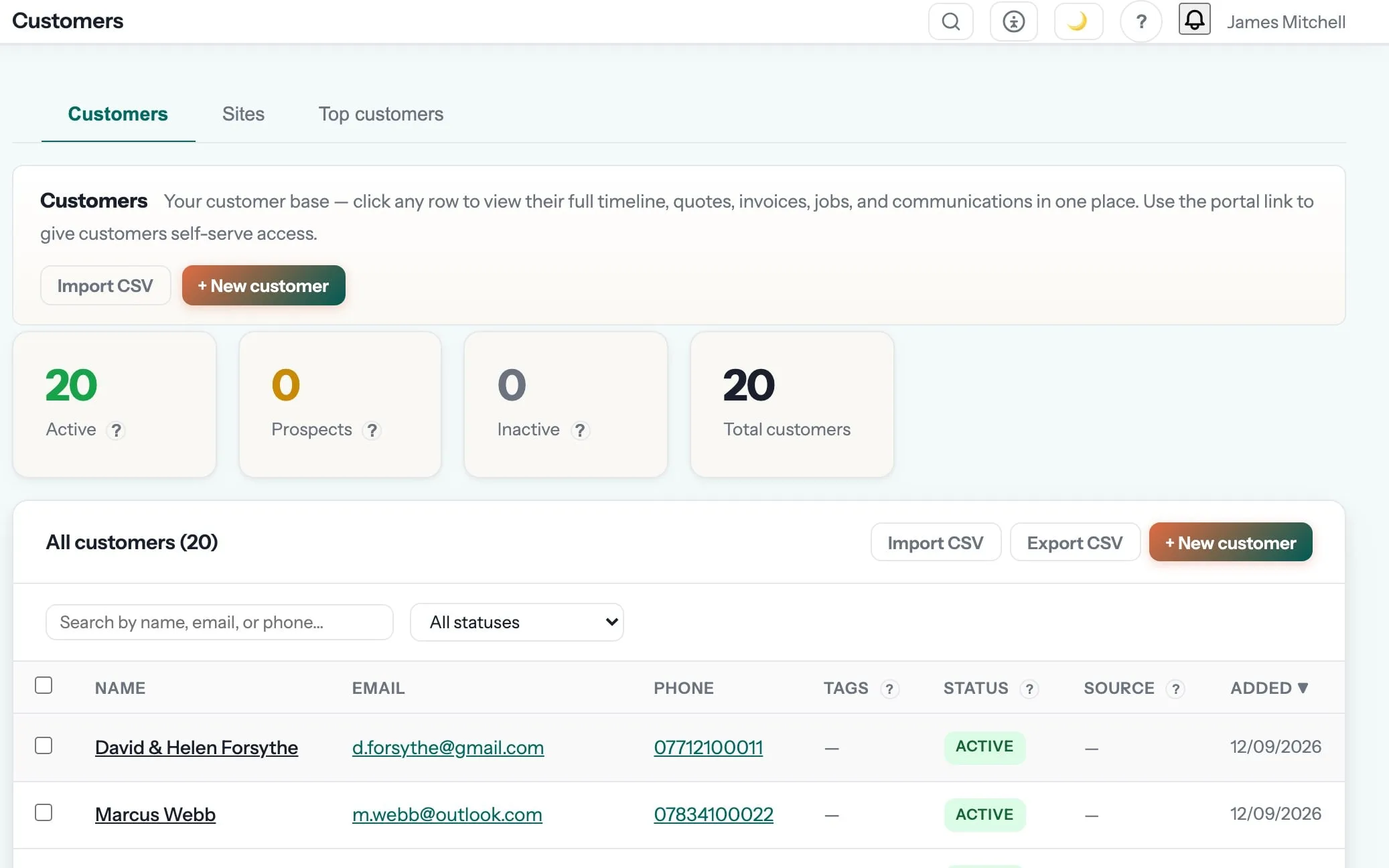
Every customer, every site, every job — one record.
Full history per customer with multiple sites, notes, tags, certificates and the complete timeline of quotes, jobs, invoices and messages. Import from your old software in one click.
Anyone in the office can pick up any customer call and know exactly what happened last time.
Customer timeline is one of the 11 things in customers & crm. See the rest →
- Every quote, job, invoice, message, certificate and payment for that customer in date order
- Anyone in the office can pick up a call and see exactly what happened last time
- Notes and photos attached where they belong rather than in somebody’s inbox
- The history follows the property too, which matters for landlords and letting agents
Step 01 of the job: enquiry
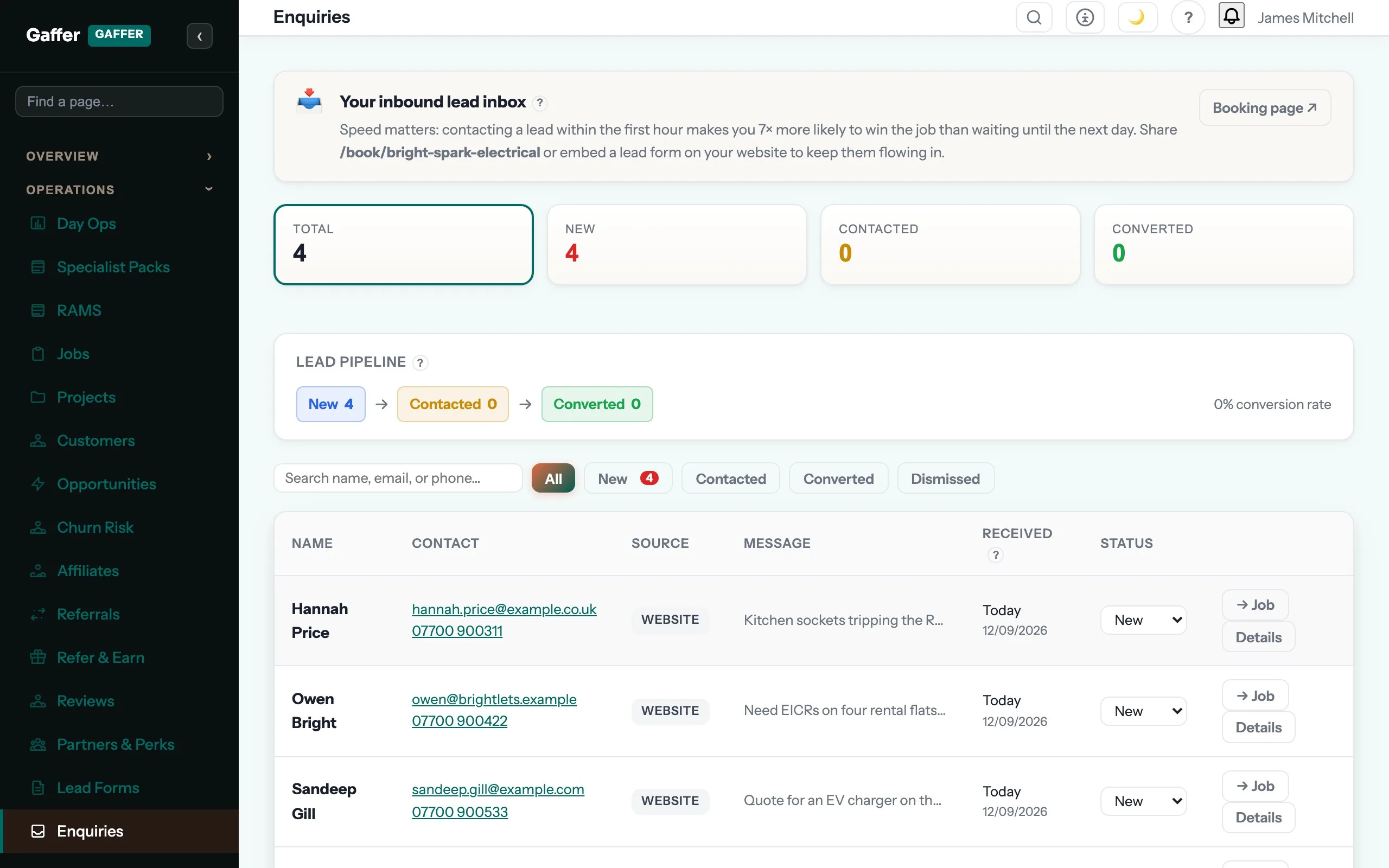
A customer fills in your booking form at 9pm. Gaffer creates the lead, texts them back within seconds, tells you where the enquiry came from, and puts it in your pipeline before you have even seen it.
Customers & CRM is where customer timeline sits, and that is the step it shows up in most. The rest of the job — quoting, scheduling, certificates, invoicing and payment — runs in the same system, on the same record. See the whole job →
What is customer timeline for?
Every quote, job, invoice, message, certificate and payment for that customer in date order Anyone in the office can pick up a call and see exactly what happened last time
Can I bring my customer list with me?
Yes. A CSV from a spreadsheet or from most systems, or a direct import from ServiceM8, Workiz, Commusoft and Jobber that brings the jobs, quotes and invoices too. Nothing is left behind on purpose.
What about landlords and agents with many properties?
They are one customer with many sites. Each property keeps its own address, access notes, certificates and job history, and the invoice still goes to the agent.
Which plan is it on?
Every paid plan. Customer timeline is included for unlimited users at no extra cost — the monthly, annual and lifetime plans differ only in how you pay.
The rest of Customers & CRM
All 11 →- See which good customers have gone quiet
- A complaints log with root cause and corrective action
- One record per customer, with every site on it
- Bring your customers over from ServiceM8 or a spreadsheet
- What one person knows, the whole office knows
- Filter your customer list by landlord or contract
- Bring your customers, jobs and invoices across from 12 rival systems
- One landlord, every property, one customer record
- Next year’s certificates book themselves before they lapse
- Rank customers by what you genuinely billed them
Put customer timeline to work.
Full platform, 7 days free, no card needed. Set up in an afternoon, import your customers in a few clicks, and send your first quote today.
Founding members: first 100 businesses get 50% off every paid plan, for as long as they stay subscribed.