Issue a permit and see it closed
Issue and track permits.
Part of health & safety in Gaffer, which replaces a folder of last year’s templates with the dates changed.
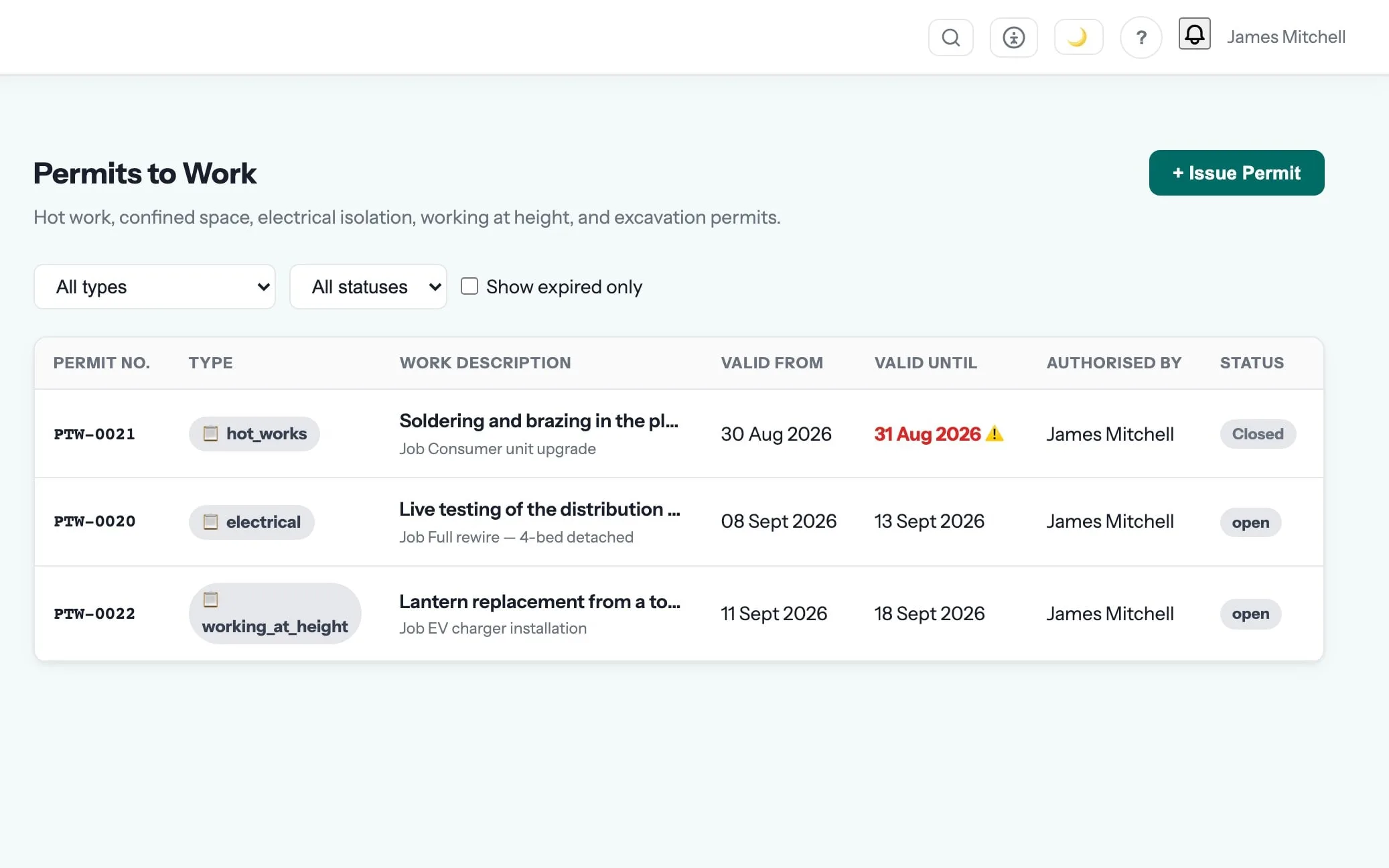
The H&S paperwork gets done because it lives where the work is.
Risk assessments, method statements, permits, toolbox talks, inspections and registers, covering what an inspector, a main contractor or an insurer will ask for.
Win tenders that demand evidence, and sleep better knowing the file is complete.
Permits to work are one of the 40 things in health & safety. See the rest →
- Hot works, confined space, electrical and general permits issued against a job
- Hazards, precautions, PPE, the authorising person and a validity window
- Open permits visible so nothing is left un-closed at the end of the day
- Closure notes recorded when the work finishes
Step 04 of the job: on site
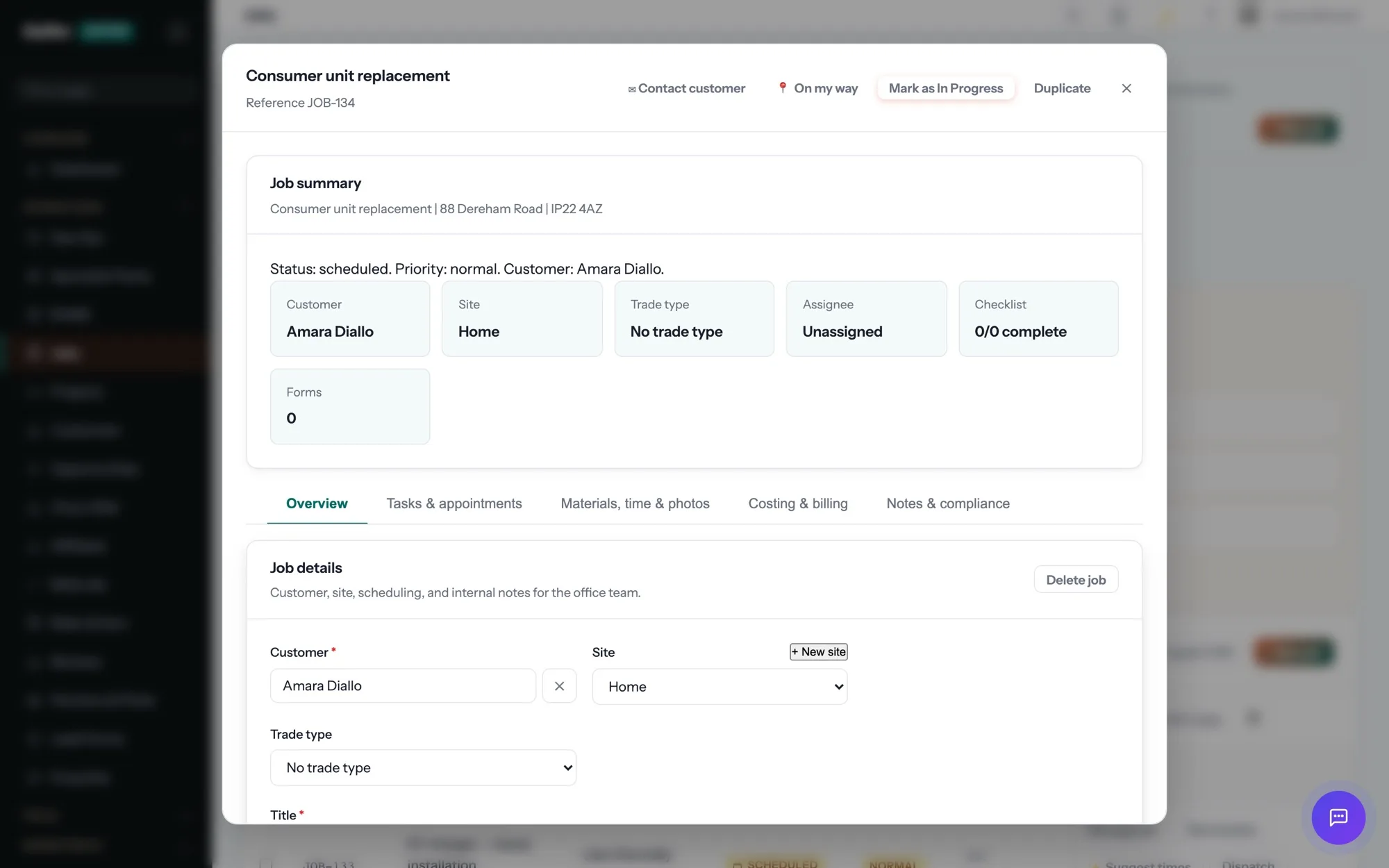
The engineer taps “On my way” and the customer gets a text with an arrival window. On site: clock in, photos, the certificate for the job — EICR, Gas Safety, whatever the trade needs — signed on the device. No signal? It syncs later.
Health & Safety is where permits to work sits, and that is the step it shows up in most. The rest of the job — quoting, scheduling, certificates, invoicing and payment — runs in the same system, on the same record. See the whole job →
What are permits to work for?
Hot works, confined space, electrical and general permits issued against a job Hazards, precautions, PPE, the authorising person and a validity window
Will this satisfy a main contractor asking for RAMS?
It produces the document they ask for, specific to the job rather than last year’s with the address changed, as a PDF you can send before you arrive. Their pre-qualification questions are their own, but the evidence is in one place.
Do the assessments have to be filled in on site?
That is the point of them, and the app is built for it — but they can be prepared in the office and signed on site, which is how most crews actually work.
Which plan is it on?
Every paid plan. Permits to work is included for unlimited users at no extra cost — the monthly, annual and lifetime plans differ only in how you pay.
The rest of Health & Safety
All 40 →- Record accidents and near misses the same day
- Describe the job, get a RAMS first draft
- An asbestos register scored by priority risk
- Calibration records that keep your readings defensible
- Confined space permits with the gas readings on the permit
- The induction register a principal contractor asks for
- One COSHH assessment per substance, with review dates
- DSE assessments for the people who are not on the tools
- An environmental aspects register that scores significance
- Statutory equipment inspections against the right regulation
Put permits to work to work.
Full platform, 7 days free, no card needed. Set up in an afternoon, import your customers in a few clicks, and send your first quote today.
Founding members: first 100 businesses get 50% off every paid plan, for as long as they stay subscribed.