Purchase orders raised against the job they belong to
Materials bought without a PO are materials nobody costed. Gaffer raises a numbered purchase order against a job and a supplier, emails it, and tracks it from sent to received — so what you committed to spend is attached to the work it was spent on.
Part of invoicing & payments in Gaffer, which replaces a separate invoicing app and a folder of unpaid PDFs.
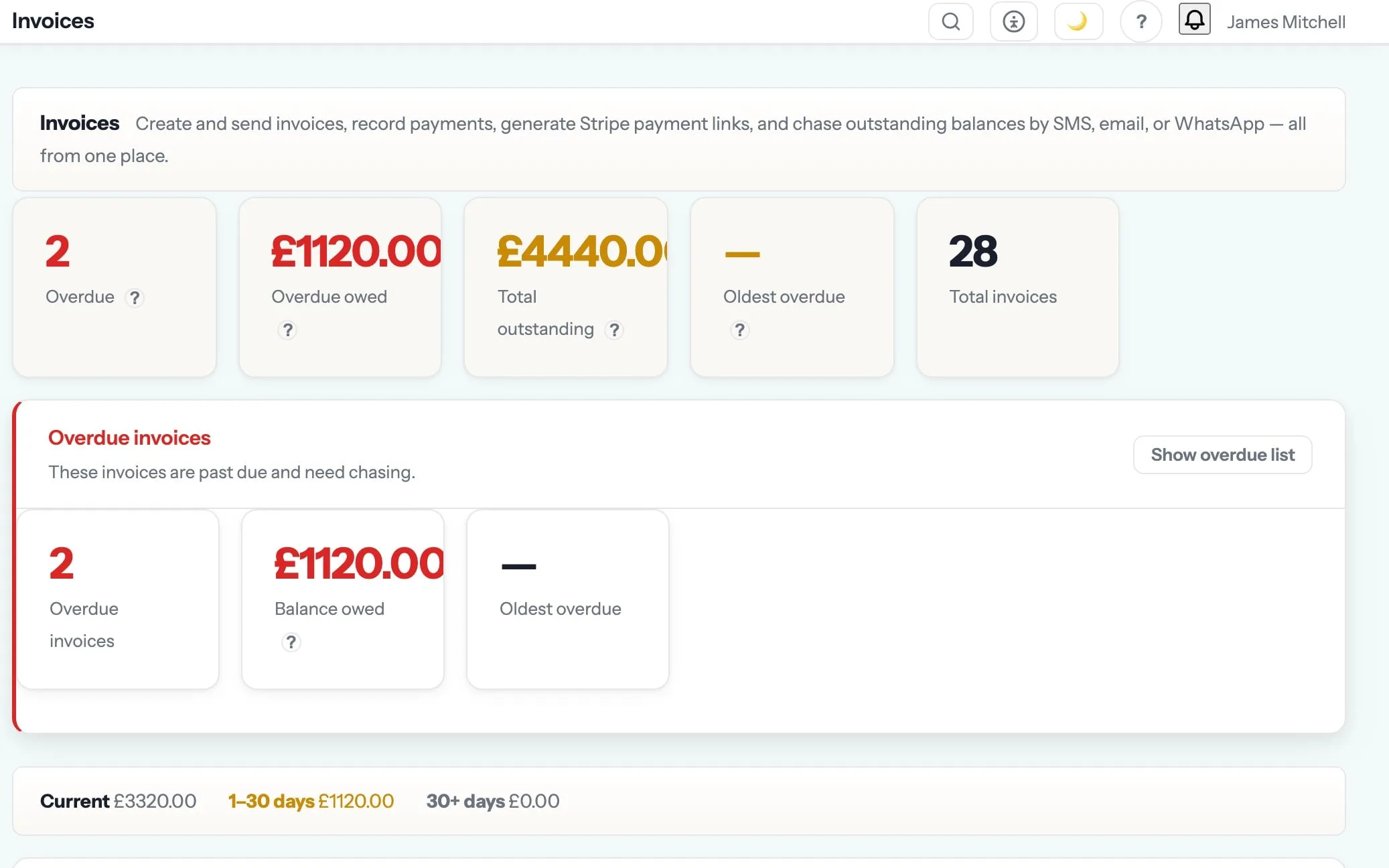
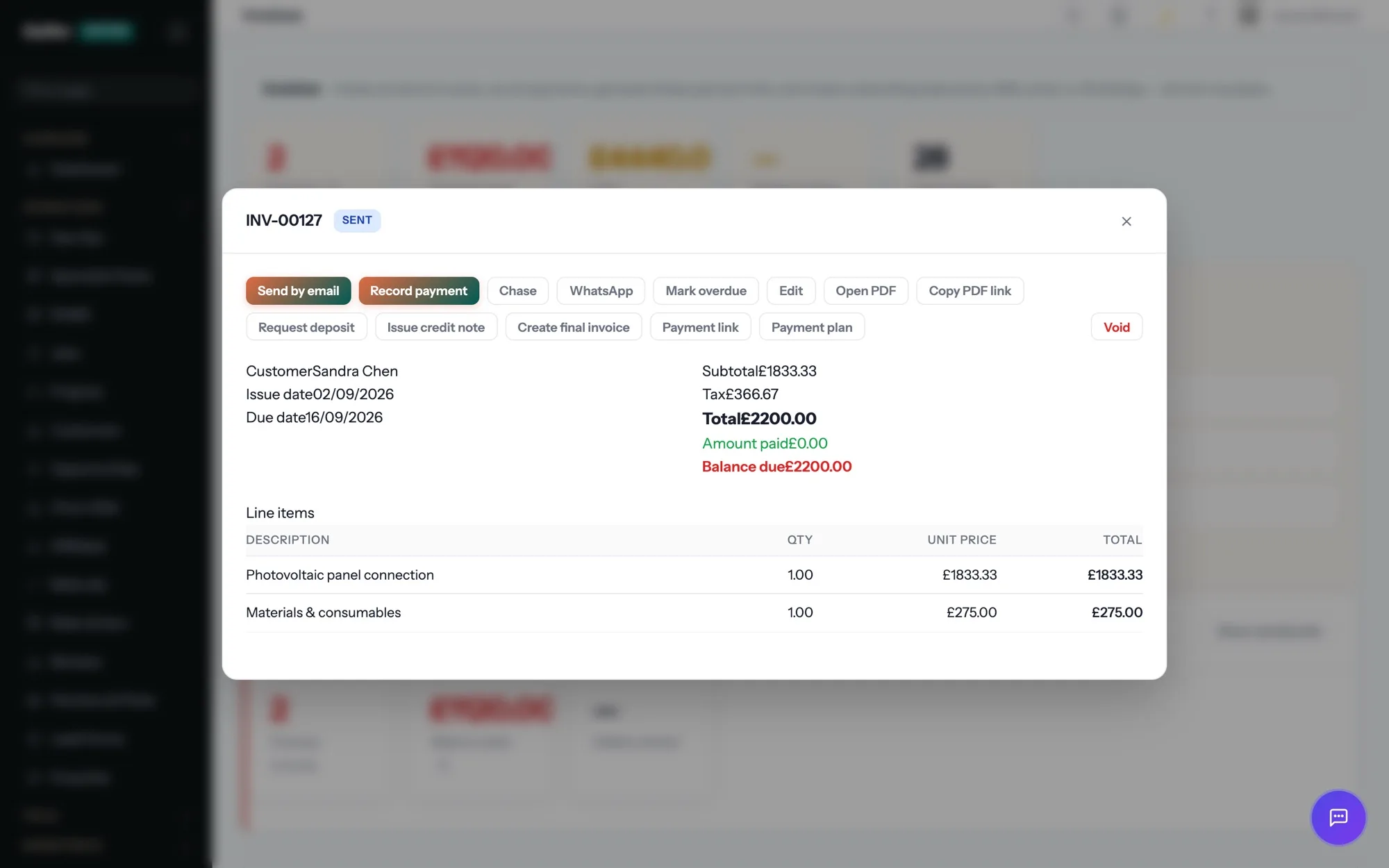
Invoice from the driveway. Get paid before you leave it.
One tap turns the job into a branded invoice with a Pay Now link — card, Apple Pay or Google Pay. Reminders chase politely on your behalf. Xero or QuickBooks are updated for you.
The chasing happens on a schedule instead of when you finally get round to it, and nobody has to make the awkward phone call.
Purchase orders are one of the 19 things in invoicing & payments. See the rest →
- Supplier name and email, with orders sent by email from Gaffer
- Linked to the job the materials are for
- Line items with a calculated total
- Status tracked with sent and received timestamps
- Notes carried on the order for delivery instructions
- Feeds job costing so committed spend shows against the job
Step 05 of the job: invoice
Marking the job complete raises the invoice from the accepted quote, nets off the deposit, attaches the certificate and sends it with a Pay Now link — before the van has left the drive.
Invoicing & Payments is where purchase orders sits, and that is the step it shows up in most. The rest of the job — quoting, scheduling, certificates, invoicing and payment — runs in the same system, on the same record. See the whole job →
What are purchase orders for?
Materials bought without a PO are materials nobody costed. Gaffer raises a numbered purchase order against a job and a supplier, emails it, and tracks it from sent to received — so what you committed to spend is attached to the work it was spent on. Materials bought without a PO are materials nobody costed.
When does the money actually reach my account?
Card payments go to your own Stripe account on Stripe’s normal payout schedule. Gaffer never holds your money and takes no cut of it.
Does it handle VAT and CIS properly?
Yes. VAT is per line with your rates and the invoice is a valid VAT invoice. Returns are worked out across all nine boxes from your own invoices and expenses, as a draft report you check and hand to Xero, QuickBooks or Sage to file — Gaffer does not submit anything to HMRC itself. CIS deductions are recorded per subcontractor with the monthly return totalled for you.
Which plan is it on?
Every paid plan. Purchase orders is included for unlimited users at no extra cost — the monthly, annual and lifetime plans differ only in how you pay.
The rest of Invoicing & Payments
All 19 →- Every subcontractor’s CIS deduction ready for the monthly return
- Chase the oldest, biggest debts first
- Credit an invoice without leaving it short-paid
- A PDF statement for the customer querying their account
- Take a deposit and credit it properly later
- Expenses captured against the job, with an approval step
- Polite chasers that stop the day it is paid
- Invoice a finished job in one tap
- Bill a big job stage by stage
- Invoice in the currency your customer actually uses
Put purchase orders to work.
Full platform, 7 days free, no card needed. Set up in an afternoon, import your customers in a few clicks, and send your first quote today.
Founding members: first 100 businesses get 50% off every paid plan, for as long as they stay subscribed.