Two years of revenue, by month and by trade
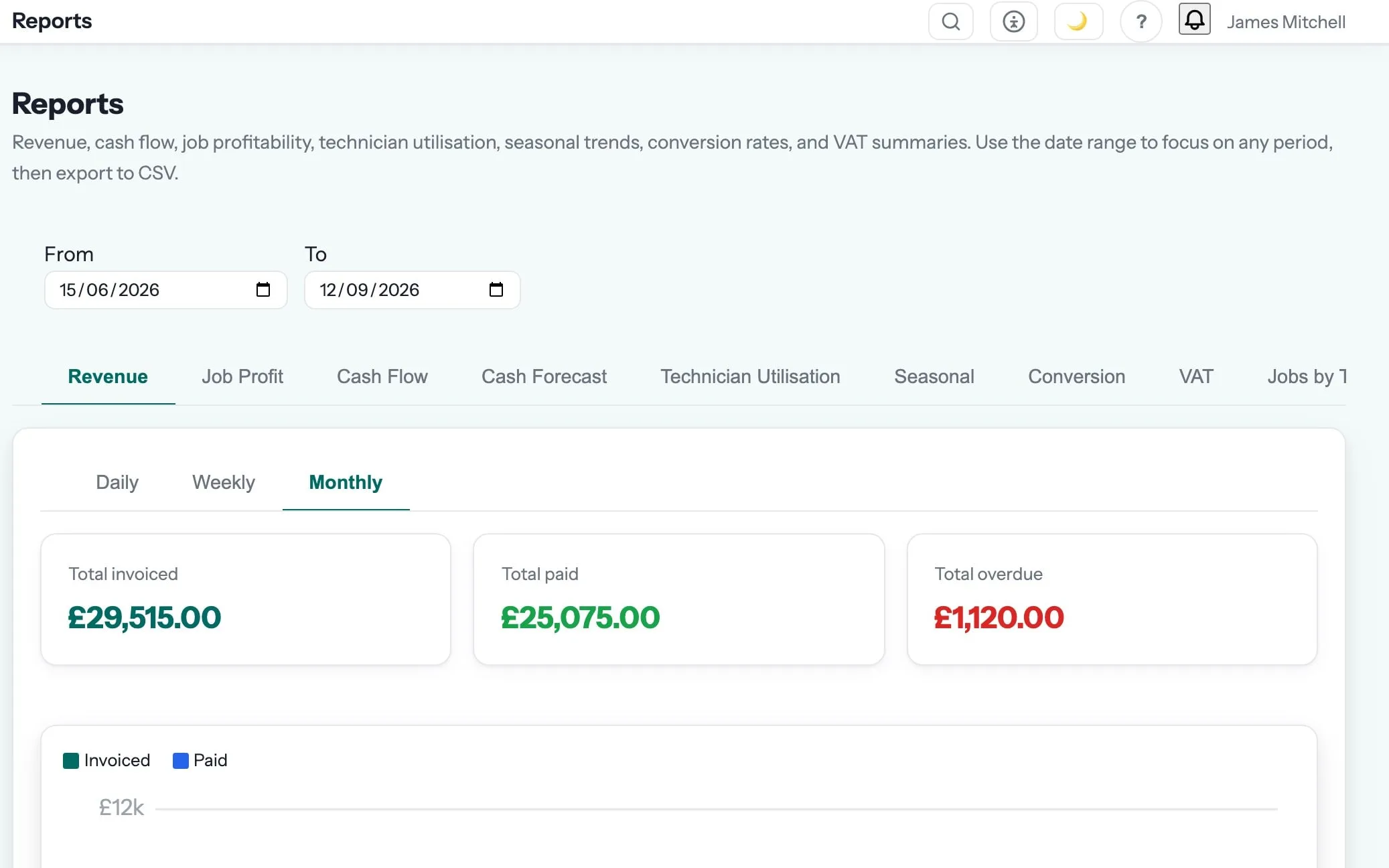
Revenue by period, customer and trade.
Part of reporting & analytics in Gaffer, which replaces waiting for the year-end accounts.
Know which jobs make money before the year-end accounts tell you.
Revenue, profit per job, win rate, cash-flow forecast and customer acquisition — built-in reports plus a report builder for the question nobody thought to ask.
Price the next job on what the last one actually cost.
Revenue reports are one of the 7 things in reporting & analytics. See the rest →
- Invoiced revenue by day, week or month, broken down by invoice status
- Compare any period against any other, with the percentage change on invoiced, paid and outstanding
- Two years of monthly history, so the seasonal peaks and troughs are visible rather than remembered
- Revenue and job counts split by trade, which tells you which work is actually paying
- Aged debtors and a VAT summary sit in the same reports section
Step 06 of the job: paid
The customer pays by card or Apple Pay. Xero or QuickBooks are updated. A review request goes out. And eleven months later, the annual service reminder books the next job.
Reporting & Analytics is where revenue reports sits, and that is the step it shows up in most. The rest of the job — quoting, scheduling, certificates, invoicing and payment — runs in the same system, on the same record. See the whole job →
What are revenue reports for?
Invoiced revenue by day, week or month, broken down by invoice status Compare any period against any other, with the percentage change on invoiced, paid and outstanding
How accurate is profit per job?
As accurate as what goes in: labour from recorded time, materials from what was actually added, expenses and subcontractor cost against the job. It will not guess at overheads you have not told it about.
Can I get the numbers out?
Every report exports to CSV, and the report builder lets you pick your own fields and filters. Your accountant gets a file, not a screenshot.
Which plan is it on?
Every paid plan. Revenue reports is included for unlimited users at no extra cost — the monthly, annual and lifetime plans differ only in how you pay.
The rest of Reporting & Analytics
All 7 →- See what is coming in before you spend it
- Answer the question nobody built a screen for
- See which channel actually pays for itself
- Compare every job against what you quoted
- See which jobs, engineers and trades actually pay
- Find out whether it is leads, pricing or follow-up
Put revenue reports to work.
Full platform, 7 days free, no card needed. Set up in an afternoon, import your customers in a few clicks, and send your first quote today.
Founding members: first 100 businesses get 50% off every paid plan, for as long as they stay subscribed.